Skip to content
Artinox

Artinox is an AI creative studio for image generation, video generation, image-to-video workflows, prompt assistance, social content, background removal, and high-fidelity upscaling.

Create

  • AI Image Generator
  • AI Video Generator
  • Social Media Studio
  • Upscaling
  • Background Removal
  • Community

Explore

  • Guides
  • Models
  • Pricing
  • About
  • Contact
  • Popular guides
    • One-Click Pro
    • Prompt Guide
    • Seedance 2.0 Guide
    • Image to Video AI
  • Featured models
    • GPT Image 2
    • Nano Banana Pro
    • Seedance 2.0

Connect

contact@artinox.ai

Kadaka tee 42b, Mustamäe linnaosa
Tallinn, 12915, Estonia

Join the inner circle

© 2026 Artinox. Operated by LJ Capital OÜ.

ImprintCancellationEE Hub
Create ImageAdvanced still-image workspace

You are in the Pro image workspace

Use this page for advanced still-image generation, reference-based editing, and tighter model control. If you want motion or animated output, move to Create Video.

Need motion instead? Open Create Video
SWITCH TO BEGINNER ↗
01

Upload references (Max 16)

FILE 1
+

REFERENCE IMAGE

PNG or JPG
MAX SIZE: 10MB
CTRL + V TO PASTE

FILE 2
+

REFERENCE IMAGE

PNG or JPG
MAX SIZE: 10MB
CTRL + V TO PASTE

FILE 3
+

REFERENCE IMAGE

PNG or JPG
MAX SIZE: 10MB
CTRL + V TO PASTE

FILE 4
+

REFERENCE IMAGE

PNG or JPG
MAX SIZE: 10MB
CTRL + V TO PASTE

FILE 5
+

REFERENCE IMAGE

PNG or JPG
MAX SIZE: 10MB
CTRL + V TO PASTE

FILE 6
+

REFERENCE IMAGE

PNG or JPG
MAX SIZE: 10MB
CTRL + V TO PASTE

0/16
02

Write your prompt

You can write prompts in any language.

03The One-Click ProOn

Upgrade your prompt automatically. Switch this on to let our AI polish your vision for the highest fidelity output.

04

Engine Settings

05

Versions

1/5
GPT IMAGE 2
AI Image Generator

Create Professional AI Images with GPT Image 2

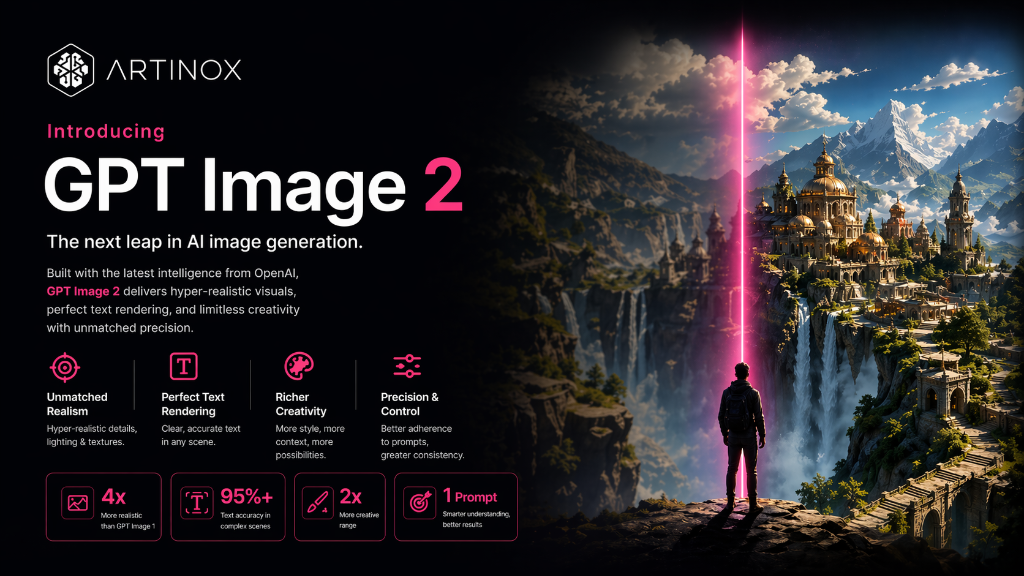
The most commercially capable AI image model on Artinox. GPT Image 2 follows complex briefs precisely, renders legible in-image text, and delivers results that are ready for campaigns, e-commerce, and brand systems from the first generation.

Why GPT Image 2

Why Use GPT Image 2 on Artinox

Prompt accuracy

Follows Complex Briefs With Precision

Give GPT Image 2 a detailed brief with specific objects, lighting, layout, and style and it follows through. Built for commercial work where getting the output right on the first generation matters.

In-image text

Readable Text Inside Generated Scenes

Generate visuals with legible headlines, labels, menus, and signage that hold up at any scale. GPT Image 2 handles typography inside the frame more reliably than any comparable model.

Character consistency

Same Subject Across Multiple Scenes

Maintain the same subject identity across different outfits, settings, and lighting conditions. Useful for campaigns, storyboards, and brand characters that need to hold together visually.

Product placement

Natural Product Integration Into Scenes

Place products naturally into lifestyle compositions, editorial setups, and e-commerce scenes. References are handled with care for scale, lighting match, and surface integration.

Canvas formats

Square to 21:9 Panoramic Without Compromise

Output from square to panoramic 21:9 or vertical 9:16 for social. The composition adapts intelligently to the format rather than cropping an image designed for something else.

Commercial output

Ad-Ready Results for Real Campaigns

Ad creatives, app banners, food photography, and brand campaigns delivered at a quality that ships to a client or goes live on a platform without further polish.

Real examples

AI Images Made with GPT Image 2

Portrait
Studio portrait for brand campaigns

Controlled headshot output for websites, investor decks, and professional brand storytelling.

Product
Luxury product with label detail

Premium product photography with legible label text and flawless surface rendering.

Commercial
Commercial team photography

Natural, professional group imagery for startup and enterprise brand use.

Beauty
Beauty editorial close-up

Clean beauty photography at Vogue editorial standard with strong directional lighting.

FAQ

GPT Image 2 Questions

When should I use GPT Image 2 over other models?
Use GPT Image 2 when the brief requires precise prompt following, readable in-image text, character consistency, or commercial output that needs to be close to delivery-ready on the first generation.
Does GPT Image 2 support image-to-image editing?
Yes. Switch to the image-to-image task mode to use a reference as the visual starting point while directing the output with a prompt.
What aspect ratios does GPT Image 2 support?
GPT Image 2 supports square, portrait, landscape, vertical, and wide formats including 21:9 for panoramic campaigns and 9:16 for social.
How reliably does it render text inside the image?
More reliably than most models at this level. Short, clear text instructions in the prompt — signs, labels, headlines — are rendered legibly in the output.

Ready to generate with this model?

Jump back into the workspace, select the model, and start generating. Your settings are preserved.