Generated Image Upscaler
Upscale Artinox-generated images without using an upload box
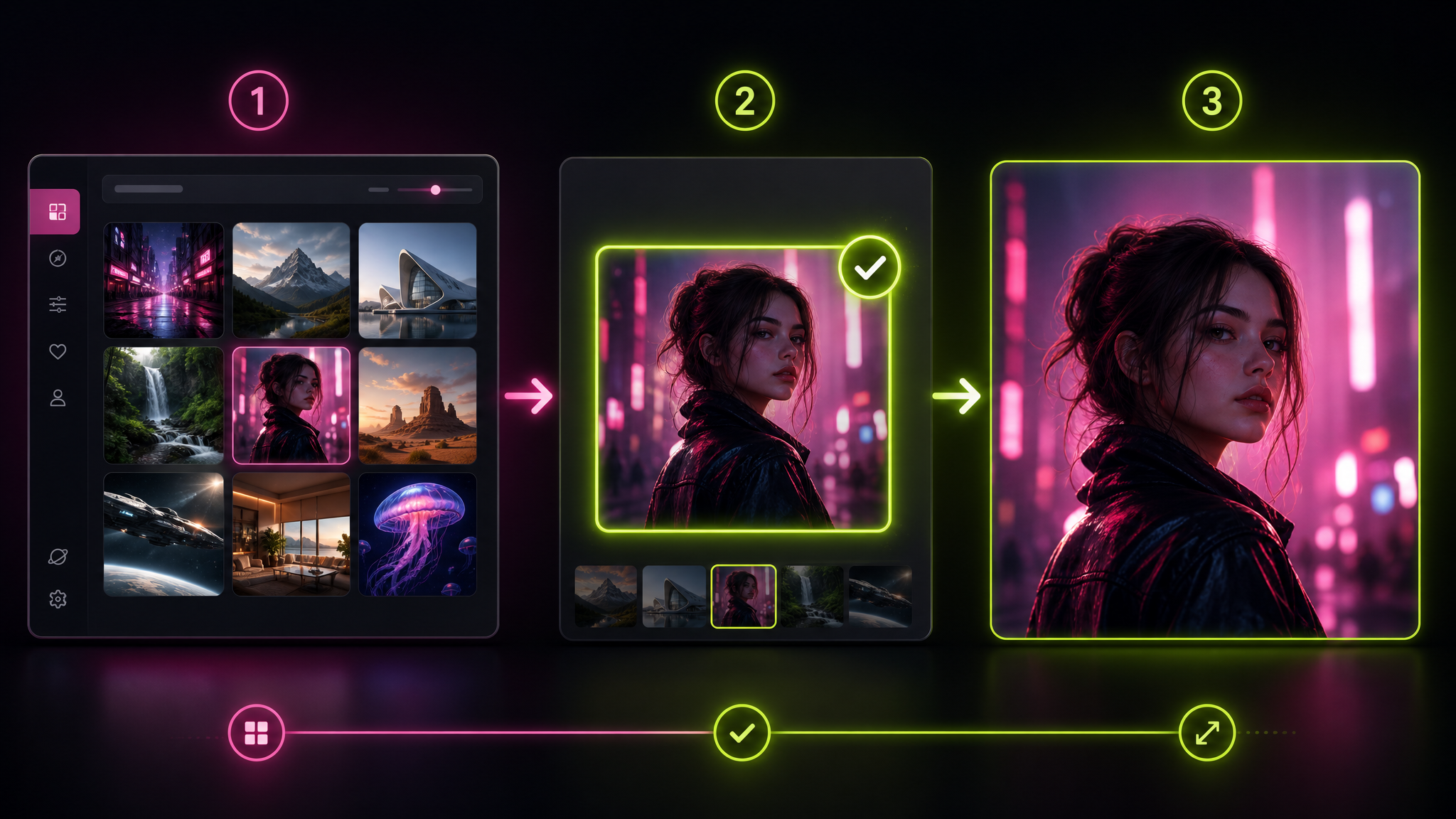
The workspace above is for generated images that already exist in your Artinox account. It uses a controlled picker instead of an upload field, so users only choose images that are eligible for the native upscale flow.
Use Cases
What generated-image upscaling helps you prepare
Workflow
How to upscale a generated image
1
Generate or open a completed account image
Start from an image that was created in Artinox. Uploaded files are handled by the separate Topaz image upscaler when that service is online.
2
Click Choose your image
Open the account picker and select the exact generated image you want to enhance. Ineligible images stay hidden from this workflow.
3
Run Grok Imagine Upscale
Once an image is selected, launch the upscale for 10 credits and wait for the sharper result in the preview area.
4
Download or reuse the result
Save the upscaled image for publishing, client review, product mockups, social posts, or as a cleaner source for future creative work.
Capabilities
Generated-image upscale controls built for clarity
Generated-only image picker
The workspace is built around account images, so users do not accidentally upload files that this native upscale path cannot process.
Clear eligibility state
The page explains why uploads are not accepted and shows an empty state when no eligible generated images are available yet.
Preview-first review
Users can compare the selected generated image with the finished upscale in the same workspace before downloading the result.
Community Examples
Generated-image upscale examples and workflow cues
FAQ
Generated image upscale FAQ
Why does this page only show generated images?
This native upscale path works only with eligible images already created in Artinox. That is why the page uses an account picker instead of an upload box.
Can I upload my own image here?
No. Uploaded files belong in the standard image upscaler workflow. This page is specifically for account images generated by the platform.
How much does generated-image upscaling cost?
Each generated-image upscale costs 10 credits. The CTA shows the cost before the user starts the job.
What should I do if no images appear in the picker?
Create an image first in the Artinox image workspace. Once the image is completed and eligible for this upscale path, it appears in the picker.
When should I use generated-image upscale?
Use it when the generated image direction is already right, but the final asset needs sharper presentation quality for publishing, client review, or reuse in another creative workflow.
Choose an eligible generated image
Open the account picker, select a completed generated image, and upscale it without uploading a separate file.